Work / 06 · Home lab
Terry: Home AI Lab
Three retired computers, one private network, and a lab that runs my AI work at home.
- Role
- Design and build
- Year
- 2026
- Status
- Ongoing
- Stack
- Ubuntu Server · Docker Compose · a private network
- Numbers
- 3 machines · 4 services · 7-step guide
- Links
- A private home network, so there’s no repository to link. The build-your-own guide is public.
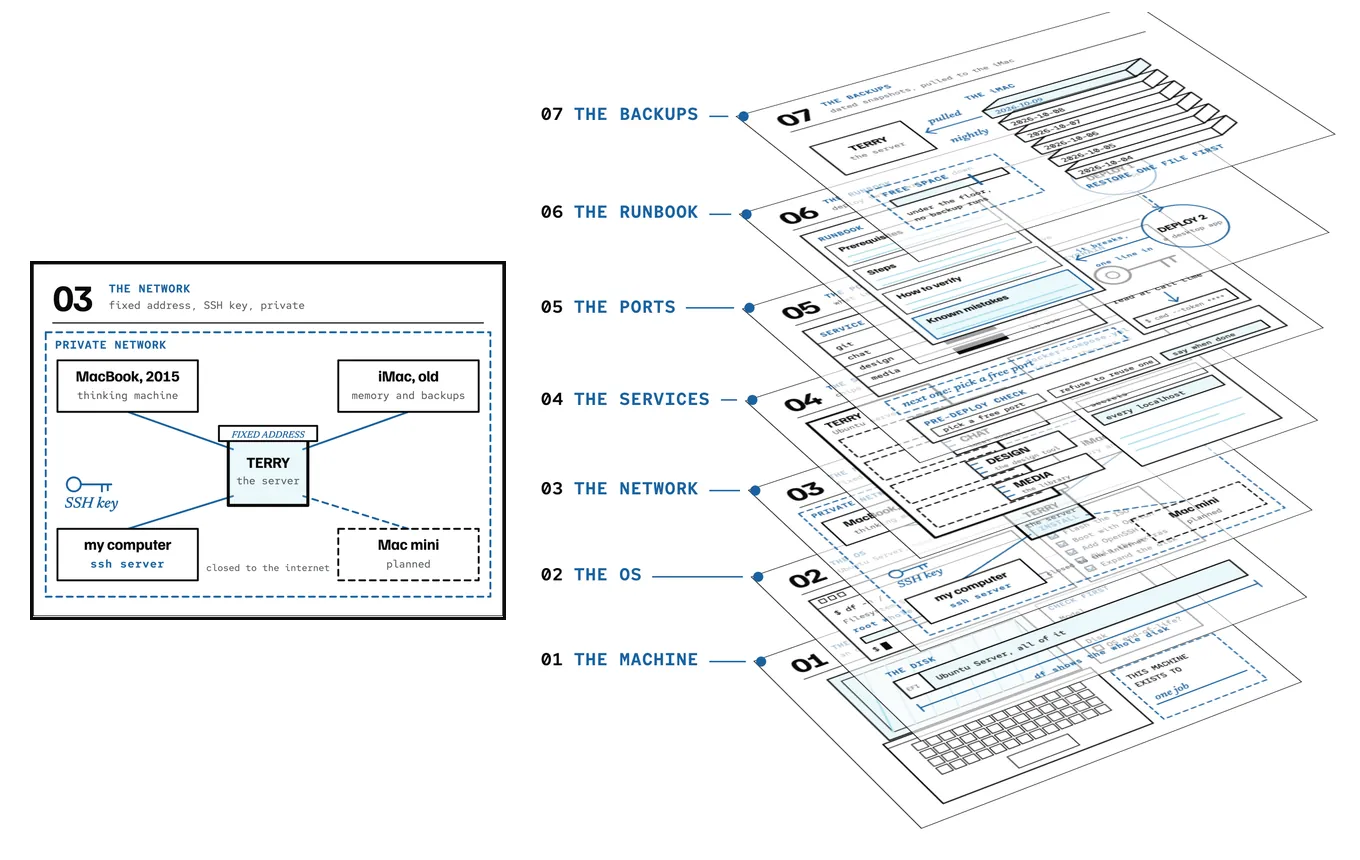
- Three machines and a planned fourth on one private network. The Mac mini is dashed because it isn’t bought yet.
- Seven layers, one for each step of the guide, from the machine at the bottom to the backups on top.
- On the guide, the layer for the step you’re reading lifts while the others dim.
I had an old Intel MacBook stuck on an operating system that modern tools had stopped supporting. The hardware was fine. The software was the problem.
Terry is what I did about it. I wiped the Mac, put Ubuntu Server on it, and it became the first node in a small lab on my home network. The other nodes are a 2015 MacBook that runs the language models and an old iMac that handles search and backups. Everything talks over a private network, and none of it is open to the internet.
What it is
Three machines, one job each:
- The server. An Ubuntu box that hosts my git server, a chat interface for local models, a design tool and a media library. New projects get mirrored to it and launched from a desktop icon.
- The thinking machine. A 2015 MacBook running local language models and speech-to-text, so a lot of everyday AI work never leaves the house.
- The memory and the backups. An old iMac that builds document search embeddings and pulls its own dated snapshots of the server every night.
- A repeatable process. A short skill that mirrors any repo to the lab, decides whether it is a web app or a native app, and launches it the right way. It has been through two very different projects with no steps re-invented.
What it actually took
The install was the easy part. The useful part came after, when I wrote down how I deployed things. My second project, a desktop app, failed on its first push because I had cloned it shallow. That fix went into the process the same day.
The same habit rebuilt my backups after the server’s disk crept up to 71 percent, with 100 GB of it one folder stored three times. The new backups keep dated copies, refuse to run when space is low, and show a warning when I log in if last night failed. One firewall rule is still blocking a second offsite copy, and this page will say so until that is fixed.
Roadmap
The lab grows one node at a time. Each step has to work on its own before the next one starts.
Done
Server online
An old Intel Mac running headless Ubuntu Server, with a fixed address, passwordless SSH and a private network.
Done
Local models
A 2015 MacBook serving local language models and speech-to-text to the rest of the network.
In progress
Repeatable deploys and backups
A mirror-and-launch process proven on two projects, and nightly dated backups. A firewall rule still blocks the second offsite copy.
Planned
Mac mini node
Add a Mac mini as the next node, with enough memory to run a larger local model than the lab can today.
Planned
A small agent on each node
Give every machine its own small, narrow agent setup with one job, instead of one big assistant that touches everything.
Planned
A bigger local model
Bring a stronger model onto the network so more of the daily work stays local, with a fallback model and a self-test so the lab fails safely.
Build your own
I turned the whole process into a step-by-step guide with the prompts I would give an AI assistant at each stage. It works for any old computer, and you do not need to be a sysadmin.